Introduction
What Databaas is and how this documentation is organised.
Databaas is a unified data and AI platform that you can deploy anywhere. On-premise, or on your cloud of choice:
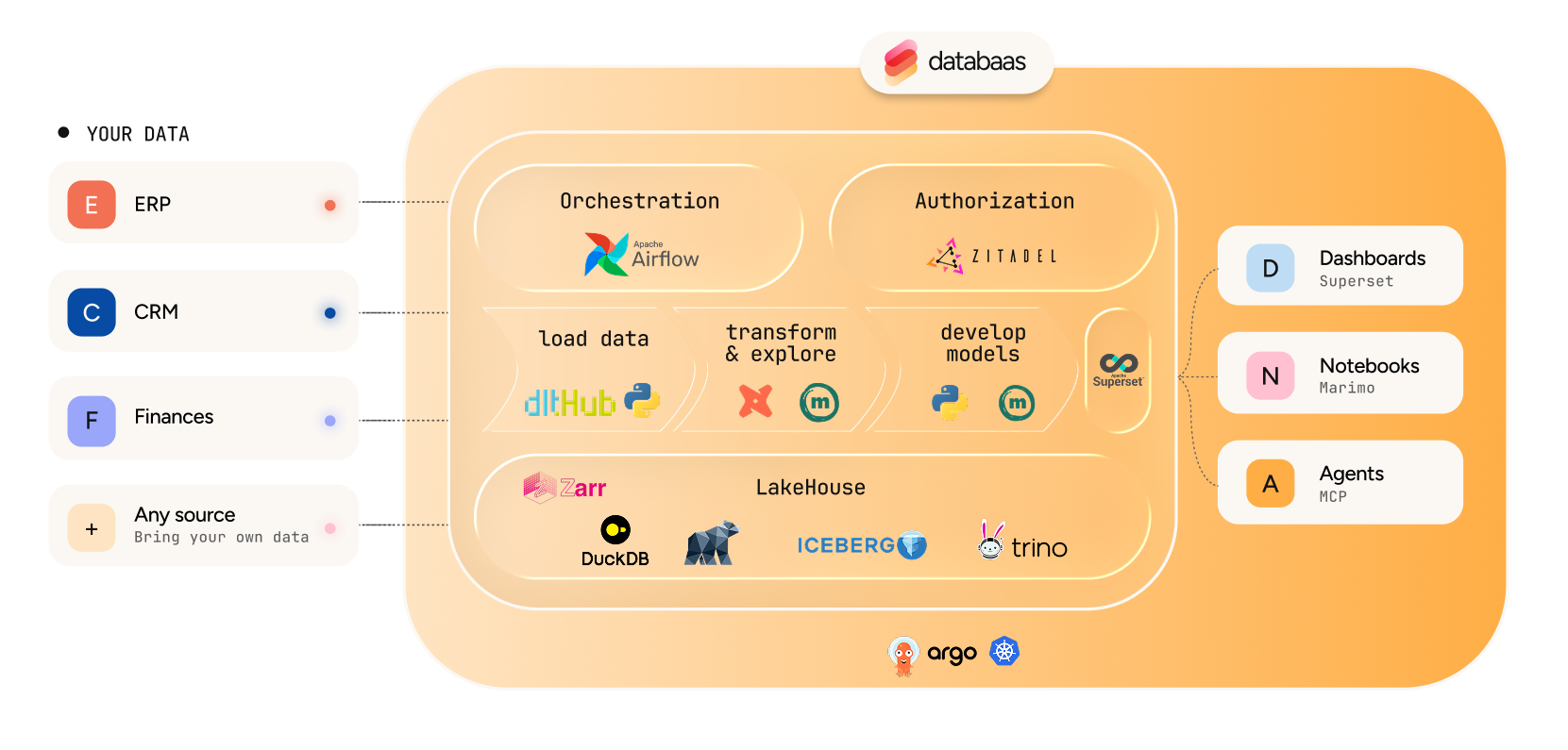
What you can do with it
- Find data. Browse warehouses, namespaces and tables in the Data Catalog, and preview rows without writing a query.
- Query it. Read tables from a Python notebook, or write SQL against the lakehouse in SQL Lab.
- Publish it. Build charts and dashboards in Superset for people who do not write queries.
- Keep it current. Watch and run the Airflow pipelines that ingest and refresh the tables.
- Control who sees what. Administrators grant access to features and to data from the portal.
Everything is reached from the portal at https://<your-databaas-domain>: you sign in once, and the
features you may use appear in the sidebar. Features you have no permission for are not shown.
Start here
Platform overview
What Databaas is built from, and what each part does for you.
Quickstart
Sign in, find a table, and read it — start to finish.
Tour of the portal
The Overview, sidebar, search, and your user menu.
Core concepts
Lakehouse, Iceberg, warehouses, namespaces, and which engine to use.
Then find your section
| Section | What is in it | Go here if |
|---|---|---|
| Get started | What the platform is, signing in, the portal, the vocabulary, and a first session. | You are new, whatever your job. |
| Access | What each permission means, how features and data are gated, and how to grant both. | You administer the platform, or something you expected is missing. |
| Data catalog | Browsing warehouses and tables, reading table details, and data grants. | You are looking for the right table. |
| Notebooks | Jupyter and marimo sessions, your files, Git, reading and writing tables, IDEs. | You analyse data in Python. |
| Pipelines | Running, writing and shipping the Airflow pipelines that load the tables. | You keep data flowing in. |
| Dashboards | SQL Lab, charts and dashboards. | You work in SQL, or you publish results. |
| Reference | Glossary, frequently asked questions, and known limits. | You want a term defined or an edge case confirmed. |